The Short Answer
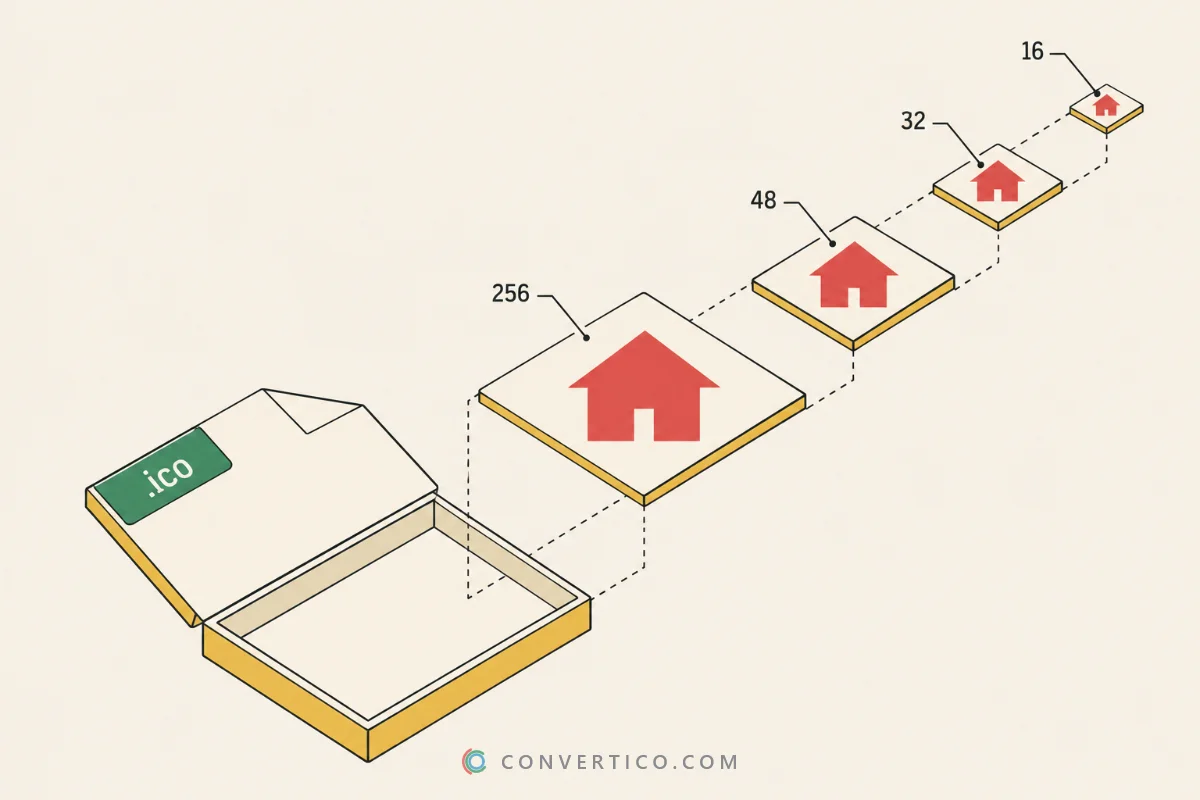
An ICO file is Windows' icon format - one file that holds the same icon in several sizes.
Windows picks the right size for each place, and browsers use it as the favicon.ico in your tab.
You can open one in almost any image viewer, and make one from any PNG in seconds.
What Is Inside an ICO File
Think of an ICO as a little box of pictures. Each picture is the same icon at one size - usually 16, 32, 48 and 256 px - so it looks crisp everywhere.
| Part | What it holds |
|---|---|
| Header | Says it is an icon and how many pictures follow |
| Directory | One entry per picture: width, height, colour depth, where the data starts |
| Small sizes (16-64 px) | Usually 32-bit bitmaps with an alpha channel |
| Large size (256 px) | Usually a compressed PNG, which keeps the file small |
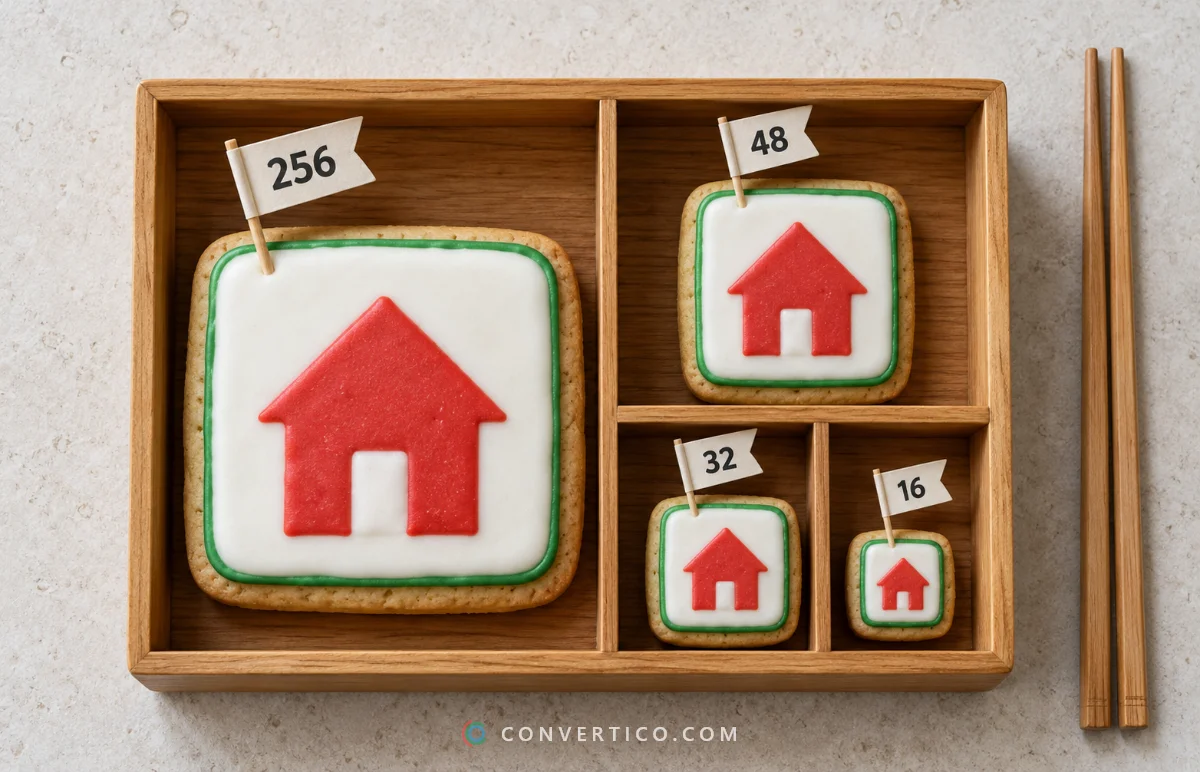
256 px is the largest size an ICO can hold. The difference between the old bitmap-only icons and modern PNG ones is explained in old vs new ICO files.
How to Open an ICO File
| Where | How |
|---|---|
| Windows | Double-click to open it in Photos. File Explorer shows it as a thumbnail too. |
| Mac | Open it in Preview - every size inside shows in the sidebar. |
| Any browser | Drag the .ico into a Chrome, Edge or Firefox tab. |
| Online, all sizes at once | The ICO Viewer shows every size; the ICO Analyzer adds colour depth and transparency details. |
Most viewers only show one size. To see what the file really contains, use the analyzer.
How to Edit an ICO File
- GIMP (free) opens an ICO with every size as a separate layer and exports ICO again.
- Photoshop needs a plugin - see how to save ICO files in Photoshop.
- Quick changes - add or remove sizes with the Icon Resizer, or shrink the file with Compress ICO.
How to Create an ICO File
| Start from | Use |
|---|---|
| PNG | PNG to ICO - the most common way |
| JPG photo | JPG to ICO |
| SVG logo | SVG to ICO - sharpest at every size |
| Any other format | Image to ICO |
| Nothing yet - just an idea | Icon Maker - crop a photo, or type initials or an emoji |
Which sizes to include? The icon size cheat sheet has the full list, and the guide to custom icons for Windows 11 shows how to use the result.
How to Convert or Extract an ICO
| You want | Use |
|---|---|
| Every size as separate PNGs | ICO to PNG |
| A JPG | ICO to JPG |
| An editable vector | ICO to SVG |
| A Mac icon | ICO to ICNS |
| The icon inside a program | EXE Icon Extractor or DLL Icon Extractor |
Common ICO Problems
| Problem | Likely cause | Fix |
|---|---|---|
| Icon looks blurry | The size Windows needs is missing | Rebuild it with all sizes from 16 to 256 px |
| White or black box around it | Made from a JPG | Start from a transparent PNG - see why JPG icons get a white box |
| "The file contains no icons" | A renamed PNG, not a real ICO | Convert it properly with PNG to ICO |
| Will not open at all | Damaged or not an icon | Check it in the ICO Analyzer |
Make or Inspect an ICO
Create multi-size icons from any image, or see exactly what is inside an ICO.
PNG to ICO ICO AnalyzerFrequently Asked Questions
What is an ICO file?
It is the Windows icon format. One ICO holds the same icon in several sizes, and it is also used as favicon.ico for websites.
How do I open an ICO file?
On Windows, double-click it to open it in Photos. On a Mac, use Preview. Online, the ICO Viewer shows every size inside.
How do I make an ICO file?
Convert a PNG with PNG to ICO, or start from JPG, SVG or any image with the matching converter.
What sizes are in an ICO file?
Usually 16, 32, 48 and 256 px; Windows icons often add 20, 24, 40 and 64 px. 256 px is the maximum.
Can I convert ICO to PNG?
Yes. ICO to PNG saves every size inside as its own transparent PNG.
Is an ICO file safe?
Yes - it is just an image container. Only open icons from sources you trust, as with any download.
Can I rename PNG to ICO?
No. The file stays a PNG inside, and Windows will not use it as an icon. Convert it instead.
Still stuck? Ask us - we reply faster than a JPEG loads on dial-up.
The Bottom Line
- An ICO is one icon in several sizes, in one file
- Open it with Photos, Preview, a browser or the ICO Viewer
- Make one from a PNG, JPG or SVG in seconds
- Blurry or boxed icons are almost always a source problem
Nearly 40 years old, and still on every desktop - not bad for a little box of pictures.