The Short Answer
A QR code is a grid of dark and light squares, and each square is one bit - dark is 1, light is 0.
Your text is turned into bits, extra repair bits are added, and everything is laid into the grid along a fixed zig-zag path.
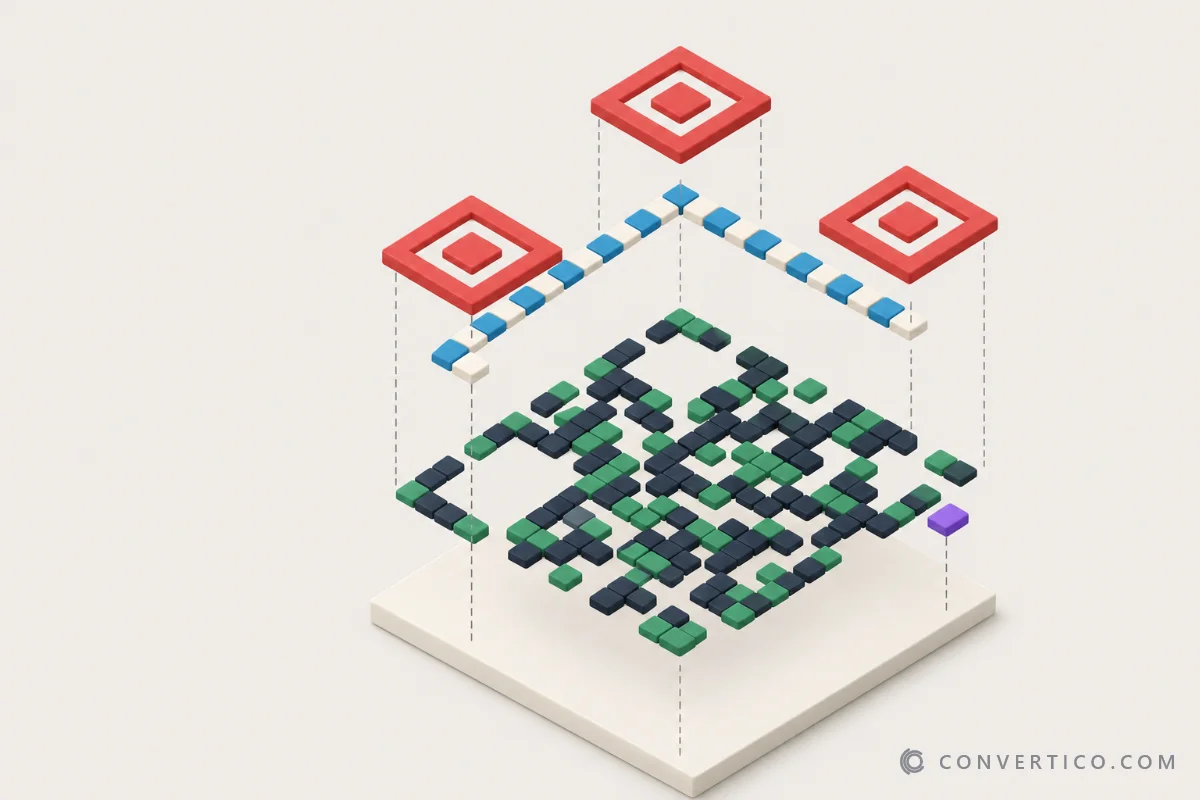
A few fixed patterns - the three big corner squares, a dotted timing line and some format bits - tell the camera where the code is, how big it is and how to read it.
Want to watch it happen with your own text? Our QR Code Explainer builds a real code step by step, and you can hover over any square to see what it does.
The Anatomy of a QR Code

Every QR code has the same parts. The squares are called modules.
- Finder patterns - the three big squares in the corners. They show where the code is and which way up it is. The empty fourth corner gives away the rotation.
- Separators - a one-module white ring around each finder.
- Timing patterns - two dotted lines between the finders. They tell the scanner how many modules wide the code is.
- Alignment patterns - small squares, from version 2 up. They keep the grid straight when the code is printed on a curve or photographed at an angle.
- Format info - 15 bits next to the finders: the error correction level and the mask number. Stored twice.
- Version info - from version 7 up, 18 bits near two finders that say how big the code is. Also stored twice.
- Data and repair data - everything else: your text, followed by error correction codewords.
- Quiet zone - the white border, at least 4 modules wide. It is part of the code, even though it is empty.
Why 1:1:3:1:1? Each finder is a dark ring, a light ring and a dark centre. Read straight across, the widths go 1:1:3:1:1. The inventors picked this ratio because it almost never shows up by chance in print, so a camera can spot it in a busy photo.
Versions: How Big Is a QR Code?
QR codes come in 40 sizes, called versions.
Version 1 is 21 x 21 modules. Each version adds 4 modules per side, so version 2 is 25 x 25 and version 40 is 177 x 177.
The encoder always picks the smallest version that fits your text. More text means more modules - and smaller squares when you print it at the same size. That is why short links scan faster and from further away.
How big should you print yours? It depends on the version and on how far away people stand. The QR Code Size Calculator works it out for your own content.
Only have a small or blurry picture of a code? Because the squares are just bits, a code can be redrawn perfectly from its data. The QR Code Upscaler rebuilds it at any size, and QR Code to SVG turns it into a vector for print.
| Version | Grid | Link that fits (level M, about) |
|---|---|---|
| 1 | 21 x 21 | 14 characters |
| 2 | 25 x 25 | 26 characters |
| 3 | 29 x 29 | 42 characters |
| 5 | 37 x 37 | 84 characters |
| 10 | 57 x 57 | 213 characters |
| 40 | 177 x 177 | 2,331 characters |
The biggest code, version 40 at level L, holds up to 7,089 digits, 4,296 capital letters and numbers, or 2,953 bytes of any text.
At the other end sits Micro QR: one finder pattern instead of three, sizes from 11 x 11 (M1) to 17 x 17 (M4), and room for up to 35 digits. It is made for circuit boards and tiny parts, and most phone cameras cannot read it. The explainer has a Micro QR walkthrough too.
From Text to Bits
Before anything is drawn, your text becomes a stream of bits.
The encoder splits it into segments and picks the cheapest mode for each one:
- Numeric - digits only, 3 digits in 10 bits.
- Alphanumeric - capitals, digits, space and $ % * + - . / :, 2 characters in 11 bits.
- Byte - anything else, 8 bits per byte (UTF-8 for accents and emoji).
Each segment starts with a 4-bit mode number and a character count. After the last segment comes a short end marker, and the rest is filled with pad bytes 11101100 and 00010001, taking turns. Grouped in 8s, these are the data codewords.
A free trick: capitals pack tighter than lowercase. The web address part of a link is not case-sensitive, so HTTPS://CONVERTICO.COM/ makes a smaller code than the same link in lowercase. The QR Code Generator suggests this for you in its Make the link smaller box.
Error Correction: Why Damaged Codes Still Scan
After the data, the encoder adds repair codewords made with Reed-Solomon maths - the same idea used on CDs and in deep-space radio.
With them, a scanner can rebuild missing or wrong codewords. You choose how much repair data to add:
| Level | Can rebuild | Good for |
|---|---|---|
| L | about 7% | Screens, clean prints, the smallest code |
| M | about 15% | Everyday use - the usual default |
| Q | about 25% | Print that may get scuffed or dirty |
| H | about 30% | Codes with a logo, outdoor signs |
That is how a logo in the middle works: the modules under it are simply missing, and the repair data fills them in.
The logo must stay well under the repair limit, because print and camera blur use up repair data too. The QR Code with Logo page shows a live safety meter while you resize the logo.
Bigger codes split the data into several blocks and interleave them, so one scratch damages a little of every block instead of all of one.
Want to know how much repair data a real code is already using up? The QR Code Checker draws a damage map and grades the code before you print it.
The Zig-Zag Path

The bits go into the grid along a fixed path.
It starts in the bottom-right corner and moves up a column two modules wide, right module first, then left. At the top it steps two columns left and comes back down - and so on, skipping every fixed pattern on the way.
Data codewords go first, then the repair codewords. A few left-over modules at the end stay empty.
Masks: Breaking Up Bad Patterns
Raw data can make big empty areas, long stripes or shapes that look like a finder pattern - all of which confuse scanners.
So the data area is flipped with one of 8 mask patterns: a checkerboard, every other row, every third column, diagonals and a few mixes.
The encoder tries all 8 and gives each a penalty score for long runs of one colour, 2 x 2 blocks, finder look-alikes and too much dark or light. The lowest score wins, and the mask number goes into the format info so the scanner can flip the bits back.
You can compare all 8 masks for your own text in step 5 of the QR Code Explainer.
What Can a QR Code Hold?
A QR code only stores text. It has no idea whether that text is a link, a password or a phone number.
Your phone decides what to do by looking at how the text starts. These are the most common formats:
| What it does | The text inside starts with | Make one |
|---|---|---|
| Opens a website | https:// | QR Code Generator |
| Joins a WiFi network | WIFI:T:WPA;S:name;P:password;; | WiFi QR Code Generator |
| Saves a contact | BEGIN:VCARD | vCard QR Code Generator |
| Opens a WhatsApp chat | https://wa.me/number | WhatsApp QR Code Generator |
| Fills in a bank transfer (EU) | BCD (the EPC QR, or GiroCode) | Payment QR Code Generator |
Restaurant menus and "review us" signs are plain links underneath. The Menu QR Code Generator and the Google Review QR Code page add printable cards around them.
Because the content is in the squares, nothing is stored on a server. A normal QR code keeps working for as long as the link inside it does.
How a Phone Reads It
- The camera looks for the 1:1:3:1:1 rhythm of the three finder patterns.
- From their positions it works out the size, the angle and the tilt of the code.
- It reads the format info to learn the error correction level and the mask.
- It samples every module, undoes the mask and walks the zig-zag path to collect the codewords.
- Reed-Solomon repairs any damaged codewords, and the bits are turned back into text.
All of that takes a few milliseconds. On a computer, you can do the same with the QR Code Scanner - from a screenshot, a photo or your webcam. Got a whole PDF of tickets or label sheets? The Bulk QR Code Scanner reads every code in it into one CSV.
Curious about a code you already have? Upload a picture of it to the QR Code Explainer and step through how it was built - squares the repair data had to fix get a red outline.
A Short History of the QR Code
The QR code was invented in 1994 by Masahiro Hara and his team at Denso Wave, part of the Toyota group.
Car factories used barcodes to track parts, but a barcode holds only about 20 characters and has to be scanned in the right direction. Workers were scanning several barcodes per box. Hara wanted one code that held much more and could be read fast from any angle - hence the name: Quick Response.
The idea for black and white squares on a grid is said to have come to him while playing the board game Go. To find a pattern that would not appear by chance, the team studied printed leaflets, magazines and boxes until they found the 1:1:3:1:1 ratio used in the finder patterns.
Denso Wave patented the code but chose not to enforce the patent, so anyone could use it for free. The format became the international standard ISO/IEC 18004. ("QR Code" itself is a registered trademark of Denso Wave.)
Phones with QR-reading cameras made the codes popular in Japan in the 2000s. In 2017 the iPhone camera started reading QR codes without an app, and during the COVID-19 pandemic they turned up on every restaurant table.
Popular means targeted. Fake QR codes stuck over real ones on parking meters and menus are now a common scam. Read how to spot a fake QR code before you pay through one.
QR Codes vs Barcodes
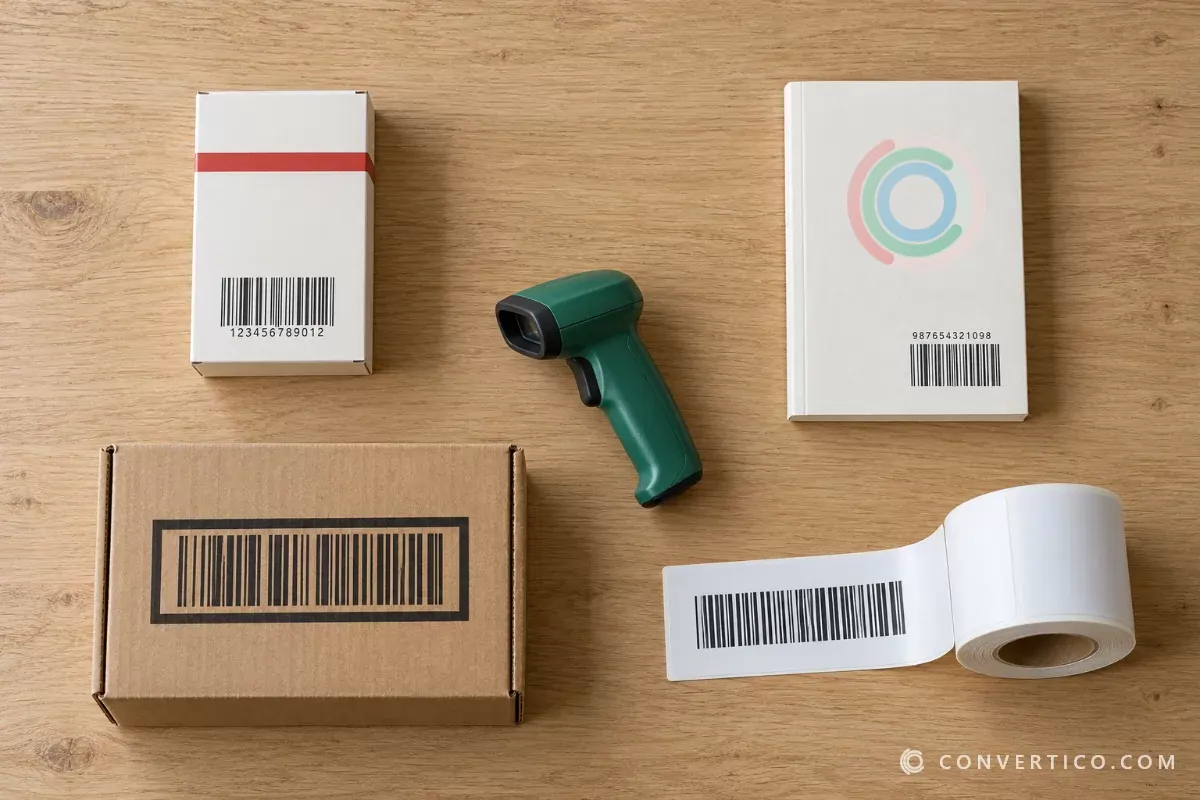
A classic barcode is one-dimensional: the information is in the widths of the bars, read along one line. It holds a short number, like the 13 digits of a product code.
A QR code is two-dimensional: it uses both directions, so it holds whole links, WiFi logins and contact cards - with repair data built in.
Both are still everywhere. For product, book and shipping codes, see barcode types explained and make one with the Barcode Generator.
Barcodes have no repair data. Instead, the last digit of a product barcode is a check digit that catches a misread number. Work it out with the Check Digit Calculator, or read a barcode from a photo with the Barcode Scanner.
Frequently Asked Questions
How does a QR code work in simple terms?
Each square is a bit: dark is 1, light is 0. Your text is turned into bits, repair bits are added, and they are laid out along a zig-zag path. The three corner squares help the camera find and straighten the code.
Who invented the QR code?
Masahiro Hara and his team at Denso Wave, a Toyota group company in Japan, in 1994. It was made to track car parts.
What does QR stand for?
Quick Response - the code was designed to be read fast, from any angle.
Why does a QR code have three squares?
They are finder patterns. Their 1:1:3:1:1 rhythm is rare in normal images, so a camera spots them fast, and three corners are enough to know the size, angle and rotation of the code.
Can a QR code work if part of it is missing?
Yes. QR codes carry Reed-Solomon repair data that can rebuild 7% to 30% of the code, depending on the error correction level. That is why logos in the middle work.
How much data can a QR code hold?
Up to 7,089 digits, 4,296 capital letters and numbers, or 2,953 bytes, in the largest version (40) at the lowest error correction level.
How big should a printed QR code be?
A rough rule is 1 cm of code for every 10 cm of scan distance, so 2 cm from 20 cm away. Long content needs more. The QR Code Size Calculator gives the size for your own text.
Do QR codes expire?
A normal (static) QR code cannot expire - the content is stored in the squares. "Dynamic" codes from some services point to a short link that the service can switch off.
Still stuck? Ask us - we reply faster than a JPEG loads on dial-up.
See Your Own QR Code Being Built
Type any text and step through every stage - landmarks, bits, repair data, the zig-zag and the masks. Free, right in your browser.
QR Code ExplainerThe Bottom Line
- Every square is a bit - dark 1, light 0
- Finder, timing and alignment patterns let the camera find and straighten the code
- Reed-Solomon repair data rebuilds up to 30% of a damaged code
- Masks break up patterns that would confuse a scanner
- Invented in 1994 at Denso Wave - and free for everyone to use