The Short Answer
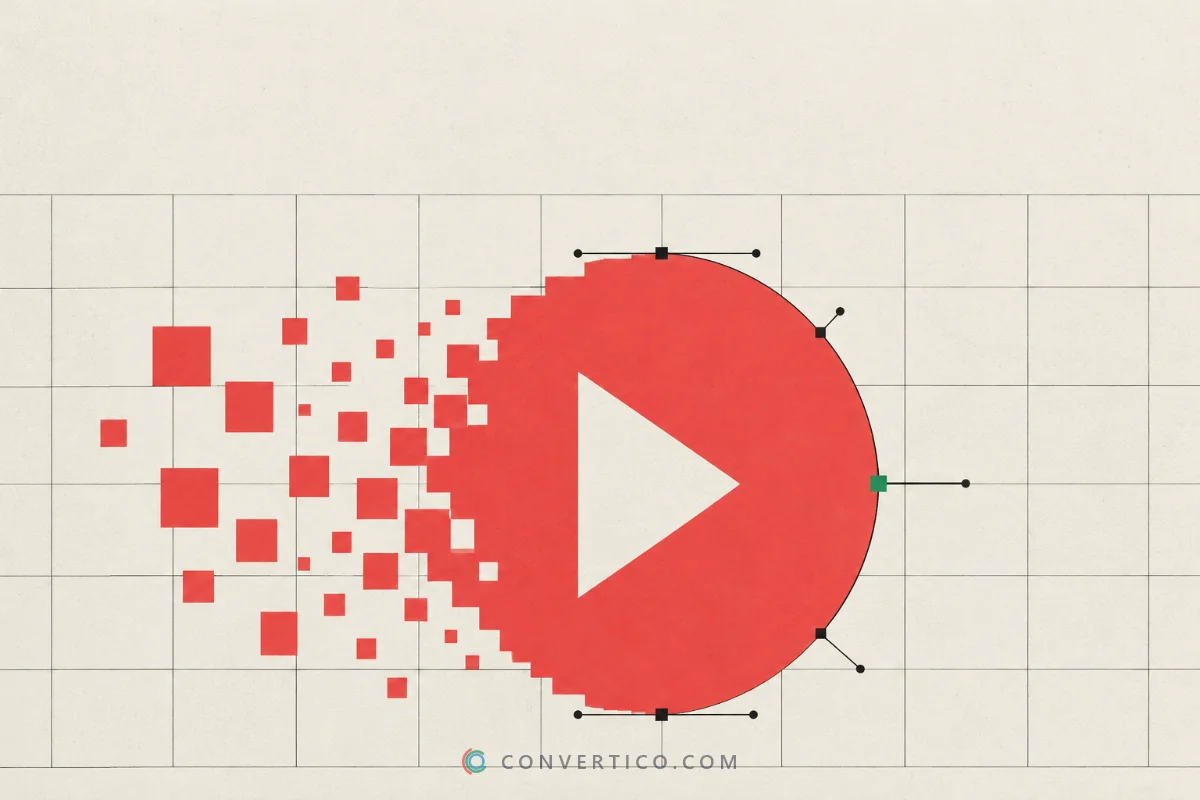
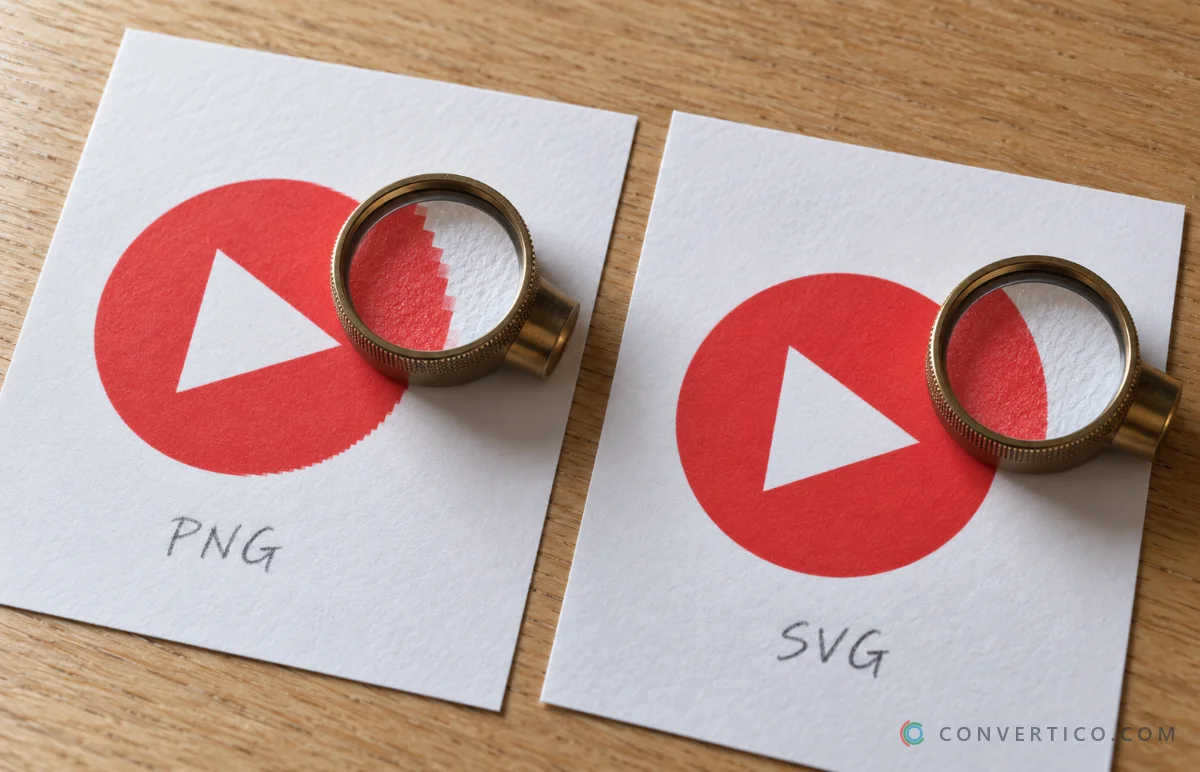
Your graphic looks blurry because it is a raster image - a grid of pixels - stretched past its real size.
A vector version is drawn from shapes instead, so it stays sharp at any size.
Use vector (SVG) for logos, icons and text. Use raster (JPG, PNG, WebP) for photos.
| Raster | Vector | |
|---|---|---|
| Made of | A fixed grid of pixels | Shapes, lines and curves |
| Scaling up | Gets soft and blocky | Stays perfectly sharp |
| Best for | Photos, screenshots, paintings | Logos, icons, text, flat illustrations |
| Formats | JPG, PNG, WebP, AVIF, GIF | SVG, AI, EPS, PDF (usually) |
| File size | Grows with the pixel count | Tiny for simple graphics |
How to Tell Which One You Have
- JPG, PNG, WebP, GIF, AVIF - always raster.
- SVG, AI, EPS, PDF - usually vector, but they can also hold a pasted photo.
- The zoom test - zoom in to 800%. Pixels or soft edges mean raster; clean edges mean vector.
Not sure about an SVG? Open it in the SVG Analyzer - it shows whether the file holds real shapes or just an embedded image.
Got an EPS and no Illustrator? Preview it in the EPS Viewer.
Why Your Logo Looks Blurry
- It is a small raster file stretched bigger - a 200 px logo shown at 600 px has to invent two out of every three pixels.
- It is a JPG - JPG compression leaves smudges around text and sharp edges.
- It came from a screenshot - screenshots capture the screen size only, and often add a background.
- The screen is high-resolution - phones and Retina laptops draw every pixel as 2 or 3, so a "big enough" image suddenly looks soft.
- It was resized many times - every resize and re-save loses a little more.
Fix 1: Find the Original Vector File
The best fix costs nothing: get the logo as it was designed.
- Ask your designer or agency for the SVG, AI, EPS or PDF - not "the logo".
- Check old emails and shared drives for a brand or press kit.
- If the logo is already on your website as an SVG, save it with the SVG Downloader.
Fix 2: Convert Your Image to Vector
No original anywhere? Trace one. A vectorizer finds the shapes in your picture and redraws them as real vector paths.
- Open Image to SVG and drop in the largest, cleanest copy of your logo - PNG, JPG, WebP, GIF, BMP or AVIF.
- Pick the number of colours. Fewer colours give cleaner shapes.
- Adjust detail and smoothing, and remove the background colour if there is one.
- Download the SVG.
Working from a scan or a photo of a drawing? JPG to SVG is tuned for that, and also drops the white paper background.
Tracing works for logos, icons and line art - not photos. A traced photo turns into a poster-style drawing. To make a photo bigger and sharper, use the Image Upscaler instead.
Fix 3: Export the Exact Size You Need
Many places still want a PNG or JPG - email signatures, Word documents, social media. Keep the vector as the master copy and export from it every time.
| You need | Export with |
|---|---|
| A sharp PNG at any size | SVG to PNG - pick 2x the display size for high-resolution screens |
| A JPG for documents | SVG to JPG |
| A favicon or Windows icon | SVG to ICO |
| A smaller SVG for the web | Compress SVG |
| A different SVG size | SVG Resizer |
Which Format for Which Job
| Job | Use | Why |
|---|---|---|
| Logo on a website | SVG | Sharp on every screen, tiny file |
| Logo in email or Word | PNG exported from SVG | Works everywhere, transparent |
| Business cards and print | PDF (or EPS) | What print shops ask for |
| Website and app icons | SVG | One file, every size |
| Social media graphics | PNG or JPG exported from SVG | Platforms do not accept SVG |
| Photos | JPG, WebP or AVIF | Vectors cannot describe photos well |
More on photo formats in PNG vs JPG: which one to use.
Free Software for Vector Editing
- Inkscape - full vector editor for Windows, Mac and Linux, free and open source.
- Figma - runs in the browser, free plan, great SVG export.
- Adobe Illustrator - the paid industry standard, and the home of AI files.
- SVG Icon Editor - quick colour and size changes to an SVG, right in your browser.
Turn Your Logo Into a Sharp Vector
Trace PNG and JPG logos into clean SVG shapes - free, nothing to install.
Image to SVG SVG to PNGFrequently Asked Questions
What is the difference between vector and raster?
Raster images are grids of pixels and lose quality when enlarged. Vector images are made of shapes and stay sharp at any size.
Is PNG a vector file?
No. PNG is always raster, even when it has a transparent background. SVG is the common vector format.
How do I make my logo not blurry?
Use an SVG version of it. If you only have a PNG or JPG, trace it into an SVG with a vectorizer, then export PNGs at the exact size you need.
Can I convert a JPG to a vector?
Yes, for logos, icons, line art and scans. Photos do not convert well - they turn into a poster-like drawing.
Is a PDF a vector file?
It can be. A PDF made from design software keeps vector shapes, but a PDF of a scan or photo is raster inside.
Why does my logo look blurry on my phone but fine on my computer?
Phones have high-resolution screens that need 2-3 times more pixels. An SVG, or a PNG exported at 2x or 3x, fixes it.
What format do printers want for a logo?
Usually a vector PDF or EPS. Ask your print shop - many also accept SVG or AI.
Still stuck? Ask us - we reply faster than a JPEG loads on dial-up.
The Bottom Line
- Blurry graphics are raster files stretched too far
- Logos, icons and text belong in SVG; photos stay raster
- No vector original? Trace one with Image to SVG
- Export PNGs from the SVG at 2x the size you display
Keep the SVG safe - future you will be very grateful.